
Half-Wave Rectification
Full-wave Rectification flips a signal’s negative values to positive. Each negative value becomes its positive equivalent. This is the same as calculating the absolute value of the signal.
Half-wave Rectification removes the negative half of the waveform. The positive half passes through unchanged.
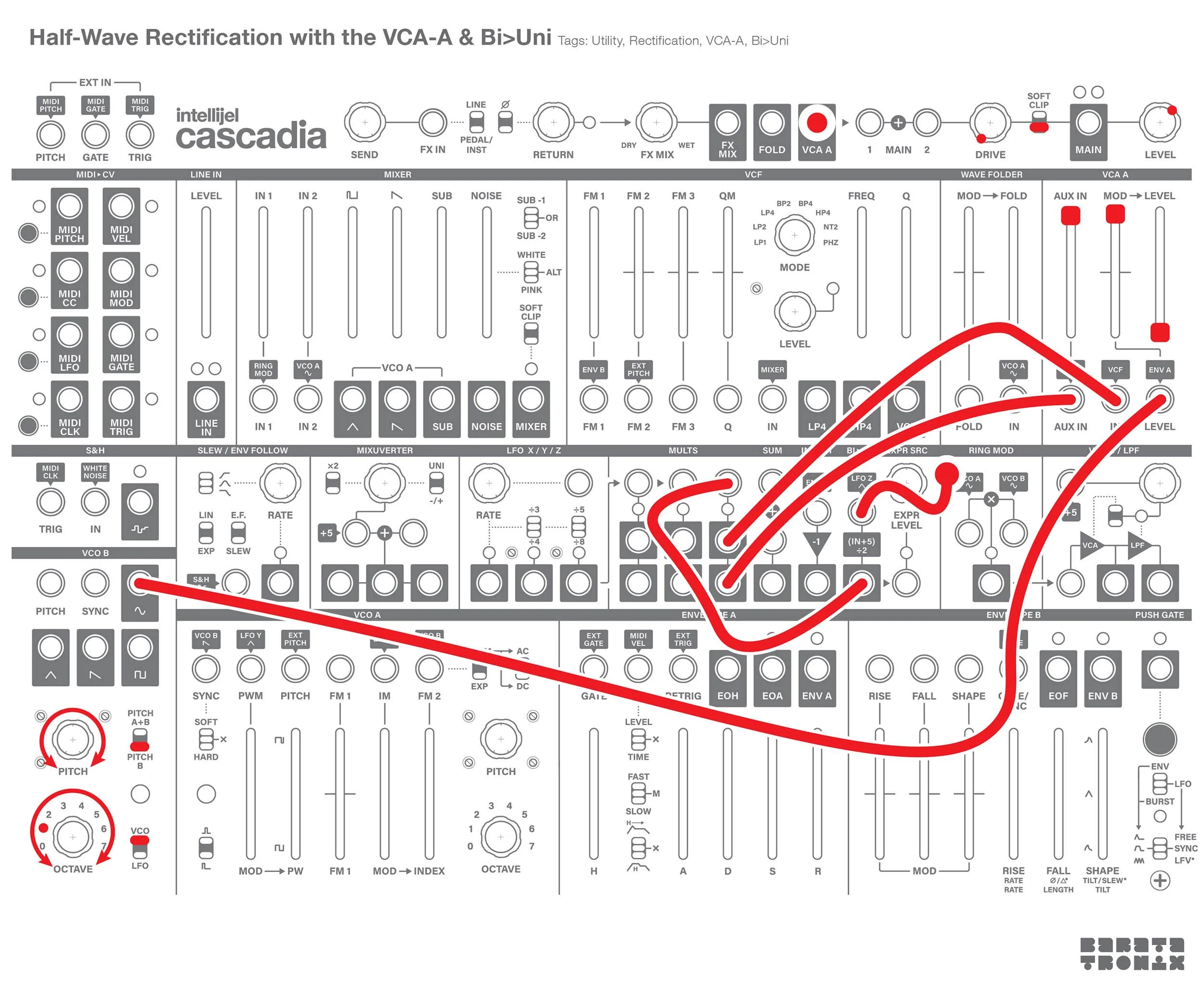
Half-wave Rectification is easy to achieve with just a VCA. A VCA multiplies the input signal by the CV amount. A unipolar VCA will clip negative CV, this zeros out the negative half of the waveform. Therefore: output = signal * CV, if CV > 0, else output = 0. So the trick is to patch the source signal into the CV input and apply a reference with the same voltage as the source signals maximum voltage.
The Patch:
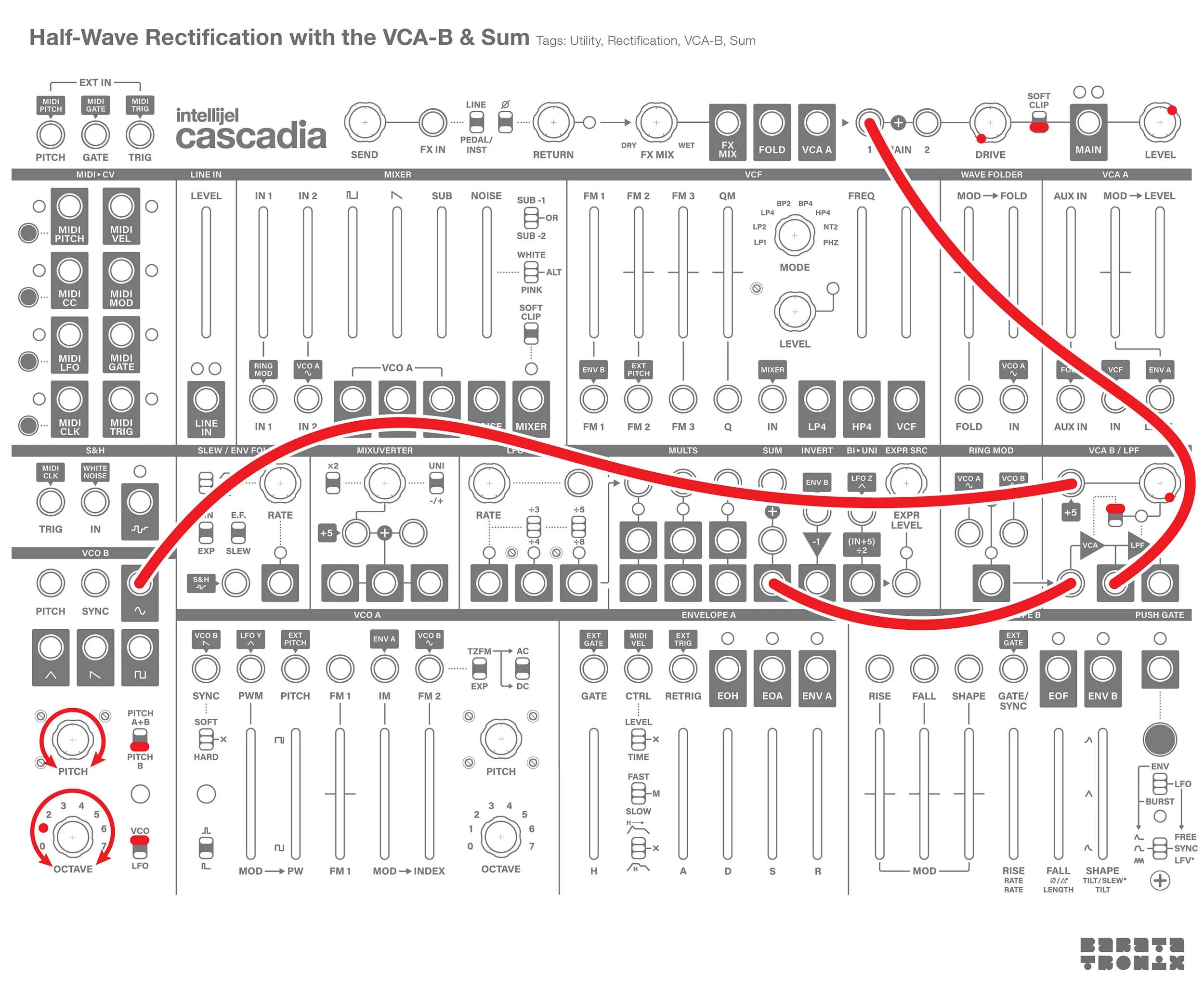
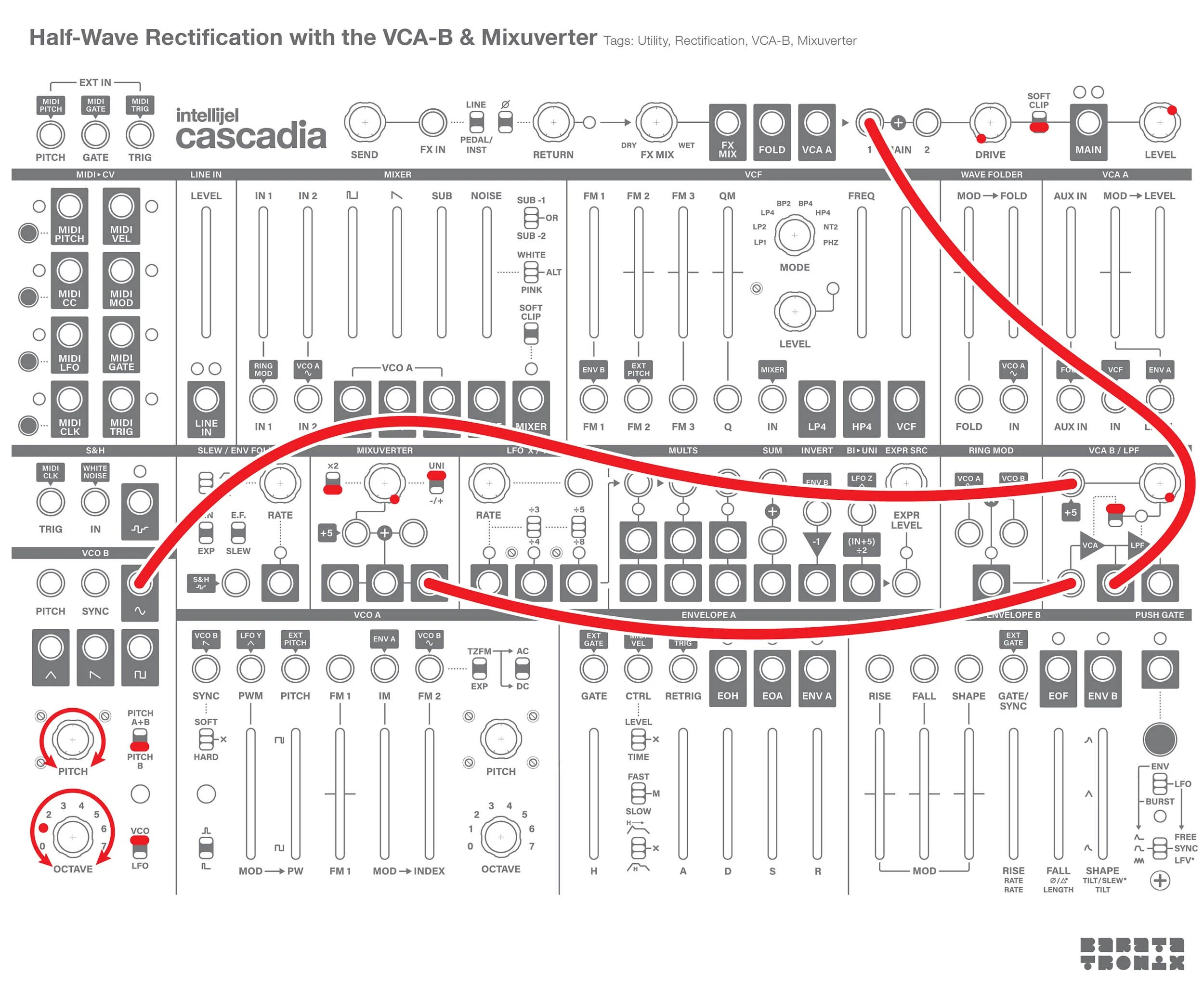
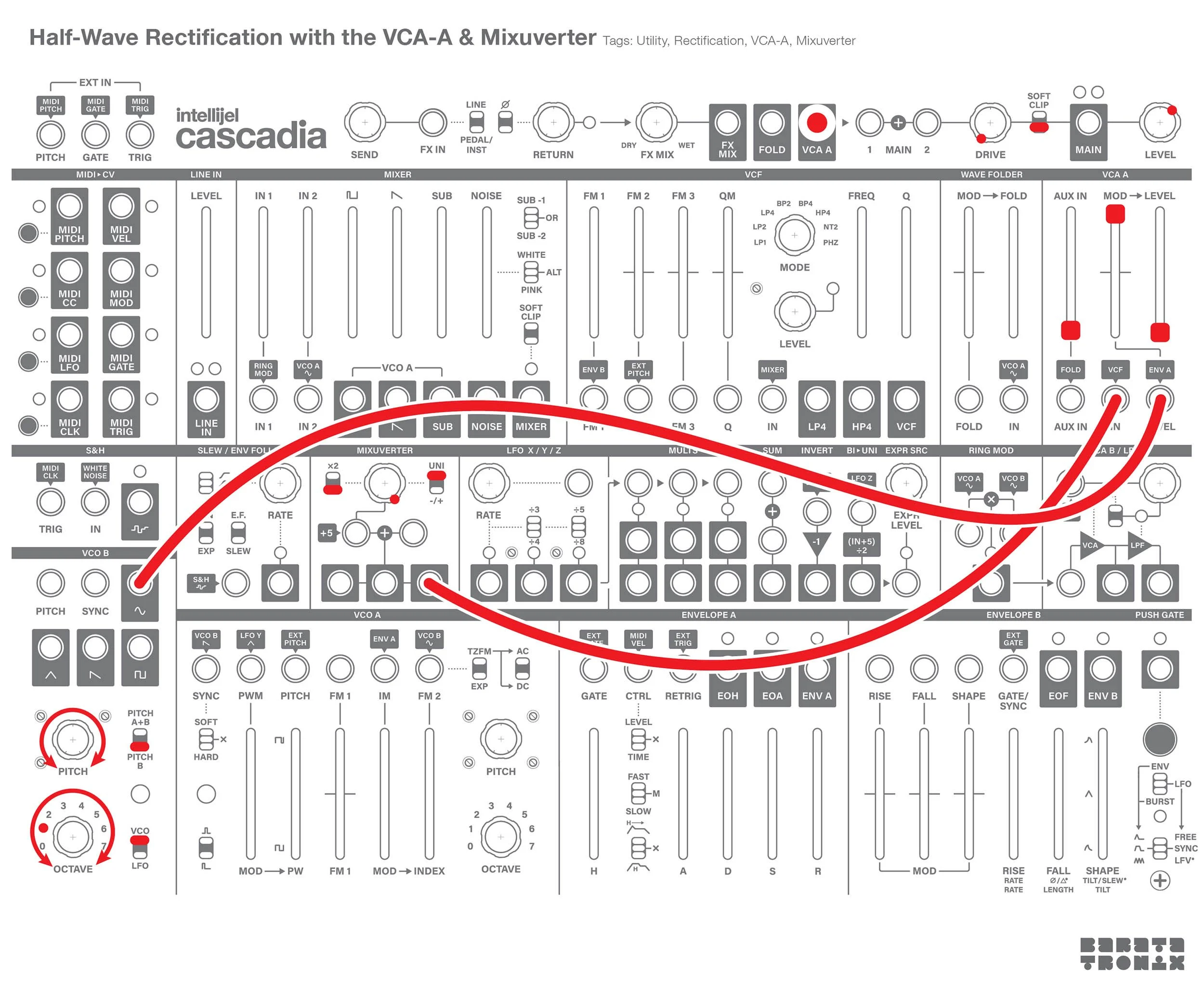
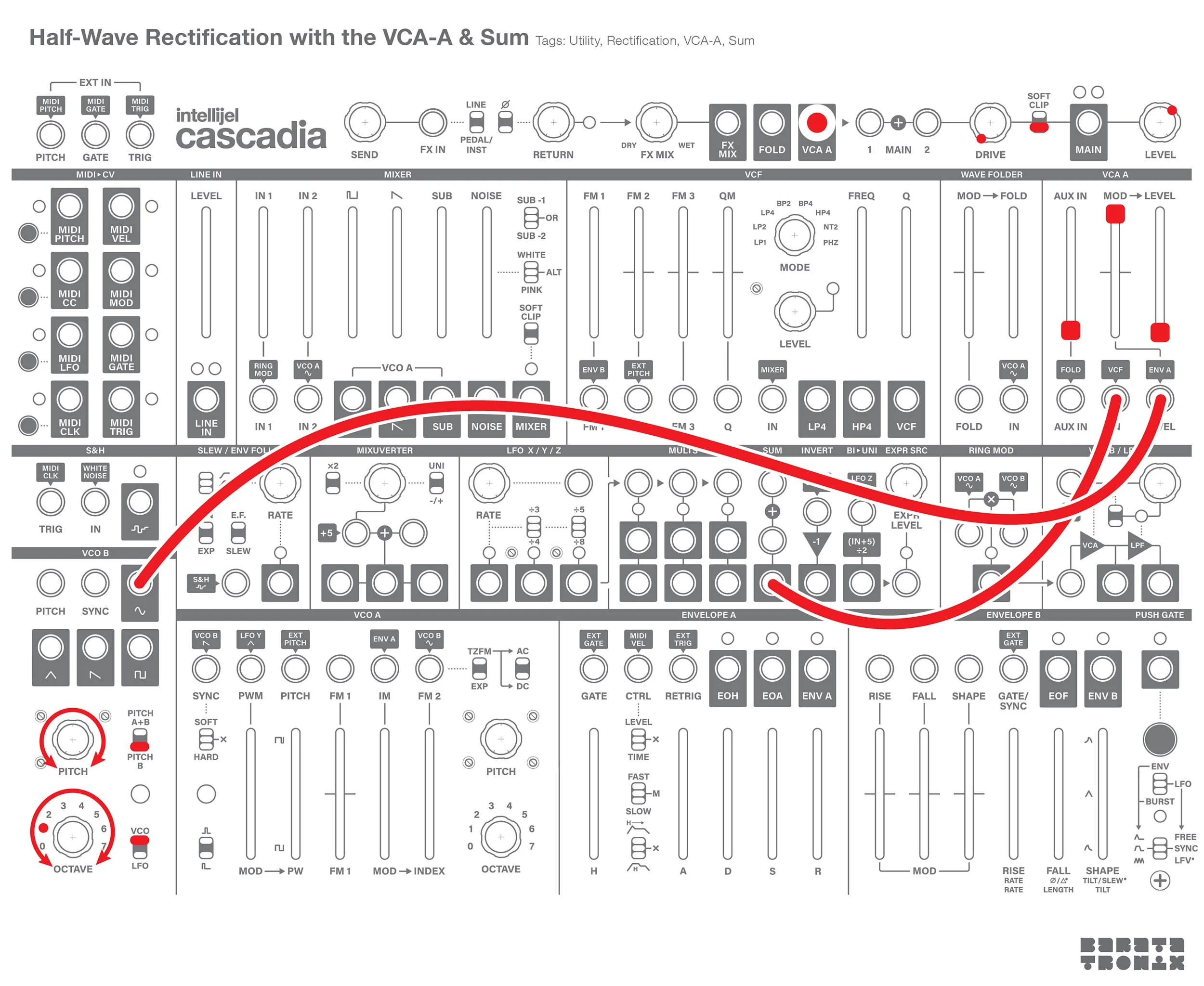
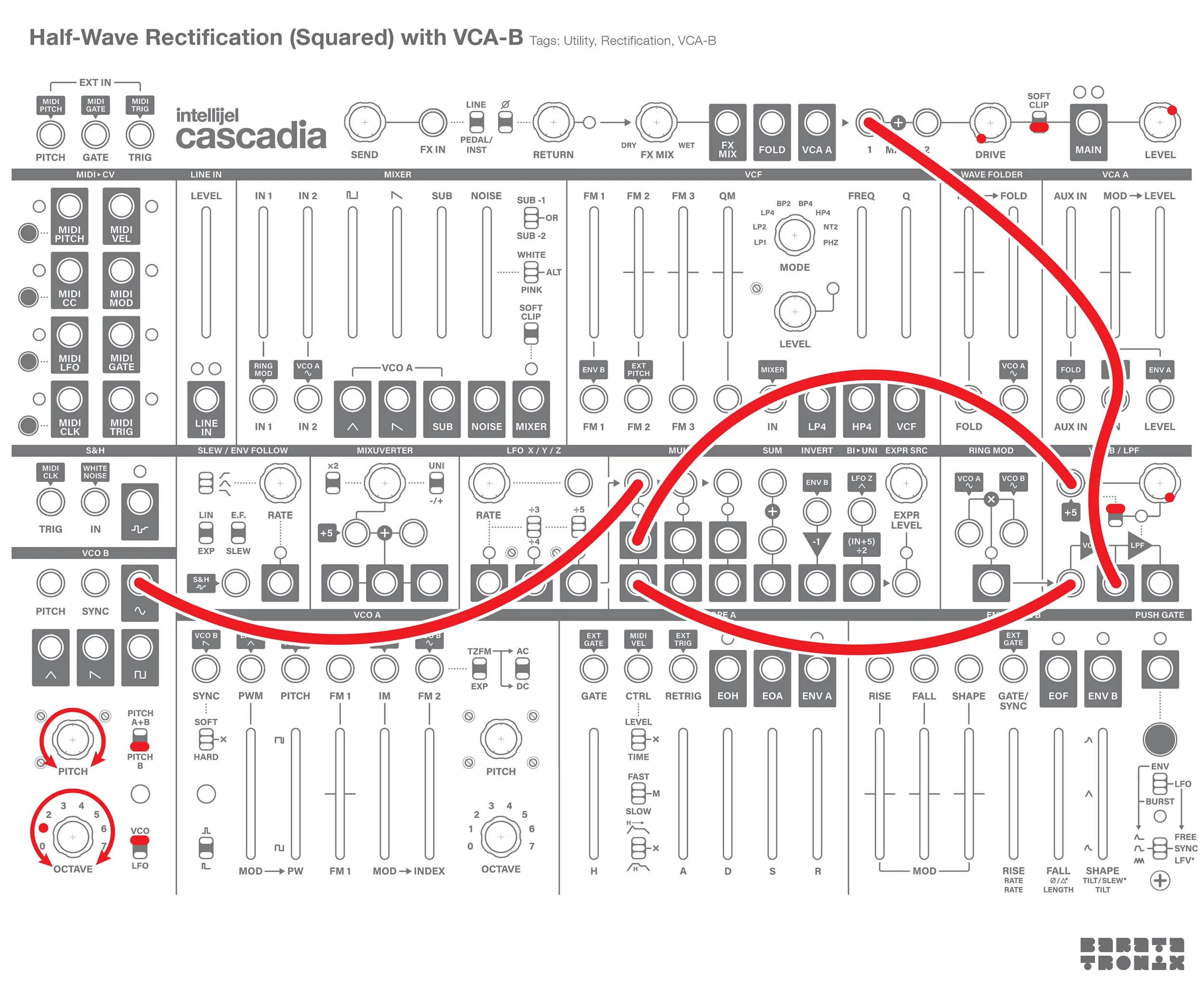
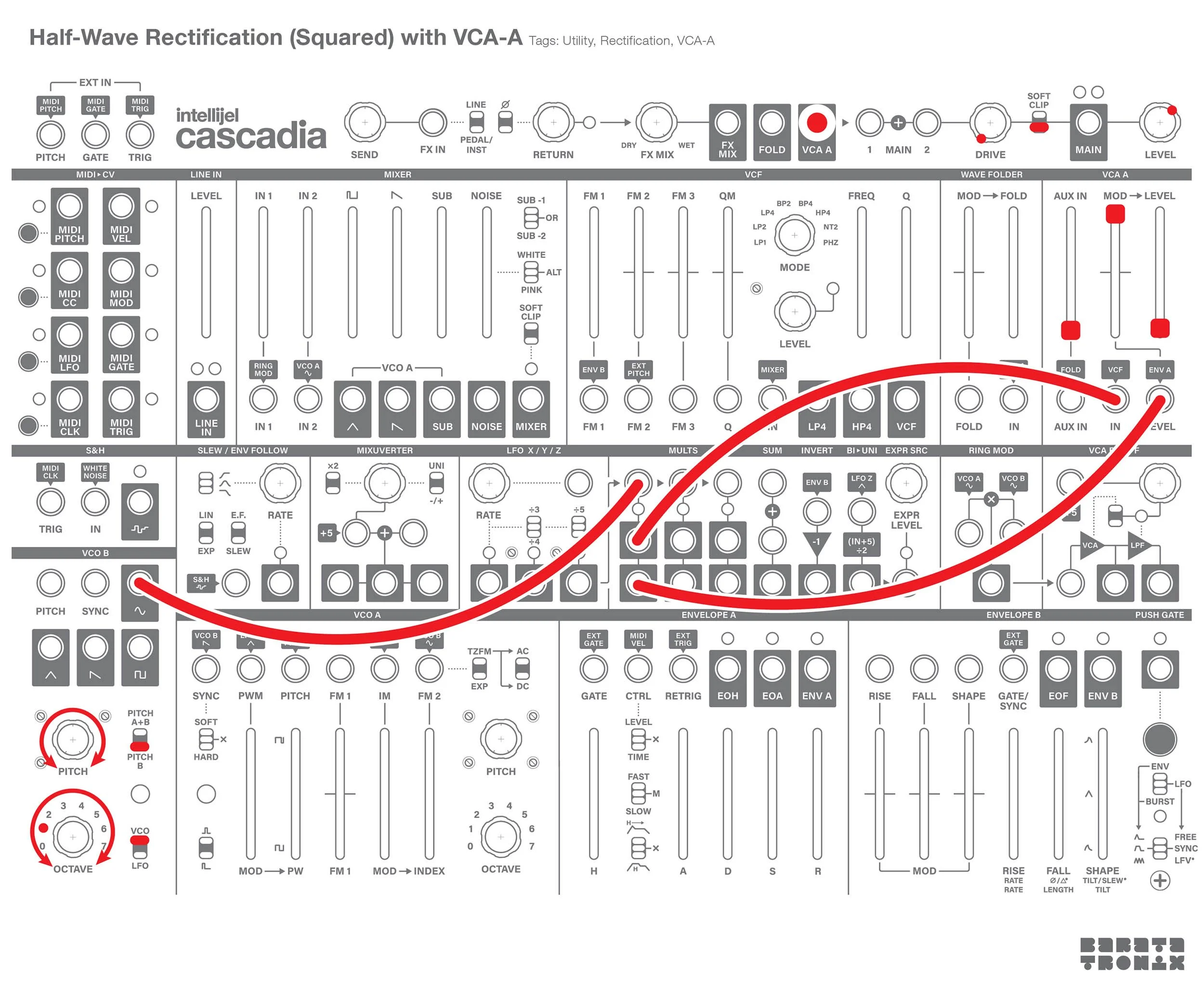
1: You can use either VCA-A or B. Patch your source signal to the selected VCA’s CV input.
2: Constant Voltage: Send a +5V signal to the VCA’s audio input.
There are 2 ways to do this on Cascadia:
With the Mixuverter:
Set the 2x switch down to 1x.
Set the polarity switch to up to unipolar.
Turn the attenuator knob fully clockwise.
Patch from the mixuverter out to the selected VCA’s audio in.
Note: If you use a reference CV that is different from the source signal’s maximum voltage, the output signal will be scaled to fit between 0V and the CV amount.
With the Sum:
The sum’s first input (top) is normalled to +5V.
If nothing is patched into the sum you can use it as a constant +5 voltage source.
Patch from the sum out to the selected VCA’s audio in.
With the Bipolar to Unipolar Converter (this only works with VCA-A):
The Bi>Uni outputs a 2.5V reference signal. The Bi>Uni adds 5V to whatever is patched into it, then divides the result in half. If the input is 0V, 0+5/2 =2.5.
Break the Bi>Uni’s normalled input by patching a dummy cable (unpatched on the other end) into the input.
Push the VCA-A Aux slider fully up.
Patch the Bi>Uni out to a mult, then patch one copy to the VCA-A audio in, and a second copy to the VCA-A Aux in. The two copies will be added together resulting in a +5V signal.
3: Apply full CV modulation:
VCA-A:
If you are using VCA-A turn the mod slider fully up and the level slider fully down.
VCA-B:
If you are using VCA’B turn the CV amount knob fully clockwise, and turn the control switch up.
4: The VCA output will be the half-wave rectified signal.
’Squared’ Half-wave Rectification:
If your patch is already using the sum and the mixuverter, there is an alternative way to achieve an effect close to half-wave rectification. If you patch the same signal into a VCA’s audio and CV inputs, the result will be a half rectified signal multiplied against itself. Output = input^2 for input > 0. Depending on your source and application this may or may not work for you. Try it out.